
ChatGPT 80s Photo Trend: 8 Prompts to Copy
Turn a modern photo into a real-looking 1980s picture: 8 tested prompts for the ChatGPT 80s photo trend, from mall portraits to family snapshots, made with GPT Image 2.6.
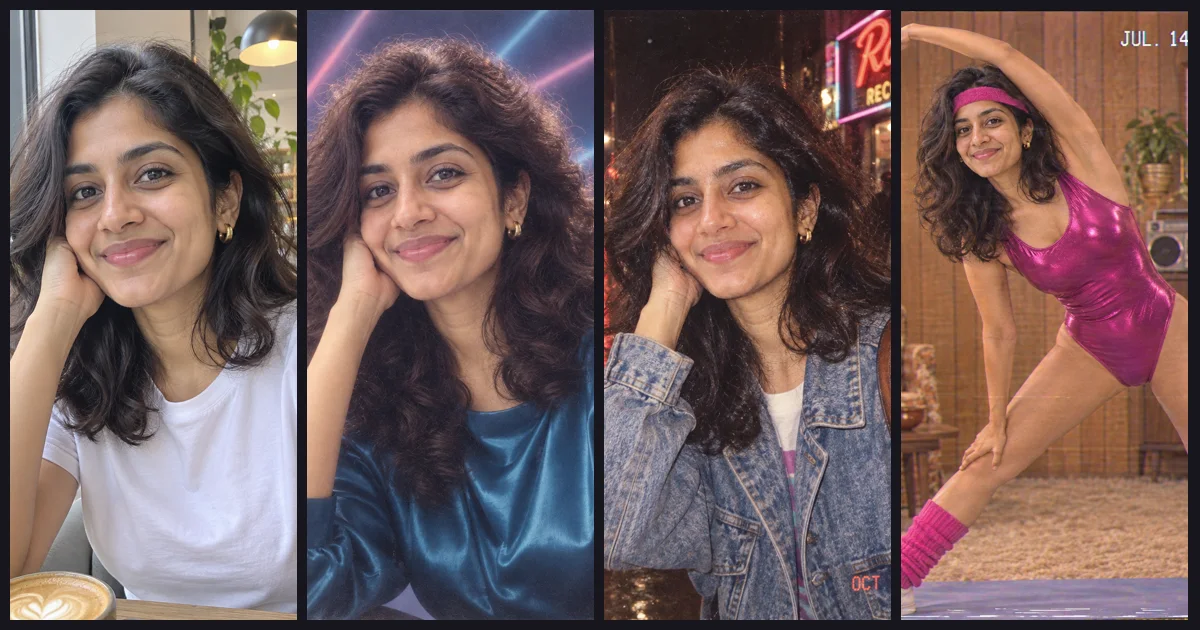
The 80s photo trend is simple: upload a normal photo of yourself and ask ChatGPT to turn it into a picture that looks like it was taken in the 1980s. It took off on Instagram in September 2026 and is still everywhere, with family versions, Bollywood film stills and mall studio portraits (Esquire India, Kapwing).
Most results you see online fall into one of two traps: the face no longer looks like the person, or the picture looks like a modern "retro filter" instead of an old photo. We tested eight prompts with GPT Image 2.6, the model behind ChatGPT Images 2.6, and all eight are below with the exact wording.
To keep real people out of it, both "before" photos were themselves made with GPT Image 2.6. The people in this post don't exist.
How to do the 80s photo trend
In ChatGPT: upload your photo, paste one of the prompts below and send it. With Images 2.6 you can also save a reference picture of yourself once and reuse it in later chats instead of uploading it every time (Fello AI), which helps if you want a whole series of 80s shots.
On Image26:
- Open Image26 and attach your photo with the image button.
- Paste a prompt and press Generate. GPT Image 2.6 is selected by default.
- If the result drifts, generate again; each try is a fresh take.
An edit like this costs 13 credits at the default setting. Ours took between 17 seconds and two and a half minutes, depending on the queue.
1. The 1987 mall studio portrait
The most recognisable 80s look: the laser backdrop, the soft glamour lighting and the hair. It's the one to start with.
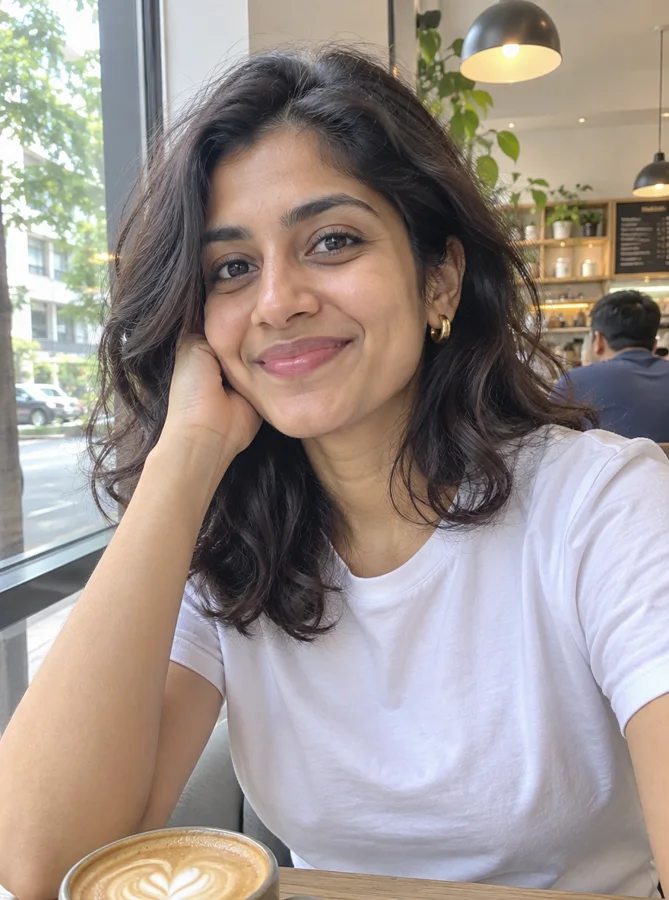
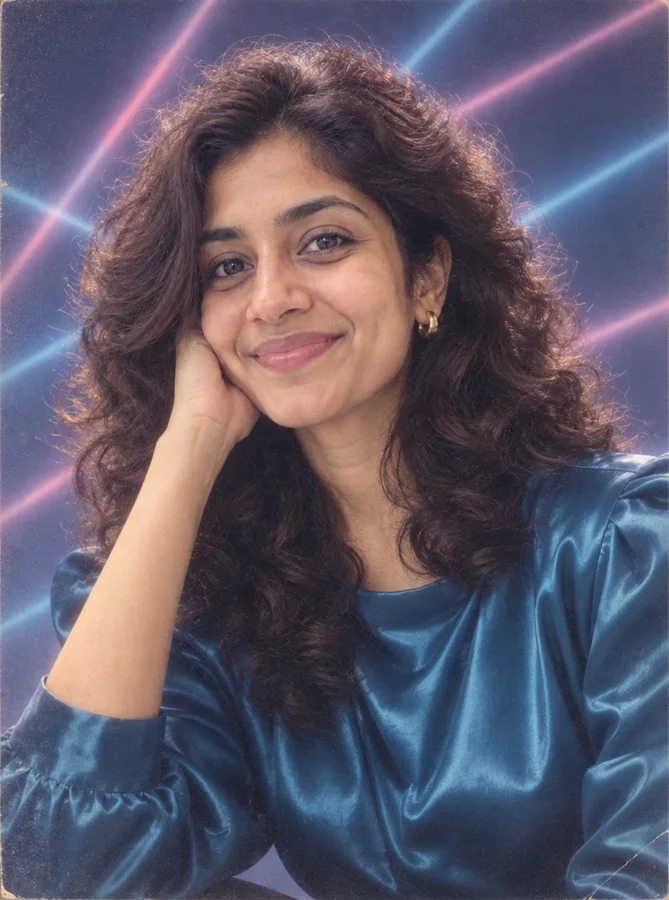
Turn this photo into a 1987 shopping-mall studio portrait. Keep her face, skin tone, eye shape and smile exactly as in the photo. Big permed hair, a satin blouse with shoulder pads, soft-focus glamour lighting, a blue laser-beam backdrop, slightly faded colors of a printed portrait package and fine film grain. No modern objects.
Try this prompt2. The 1985 yearbook photo
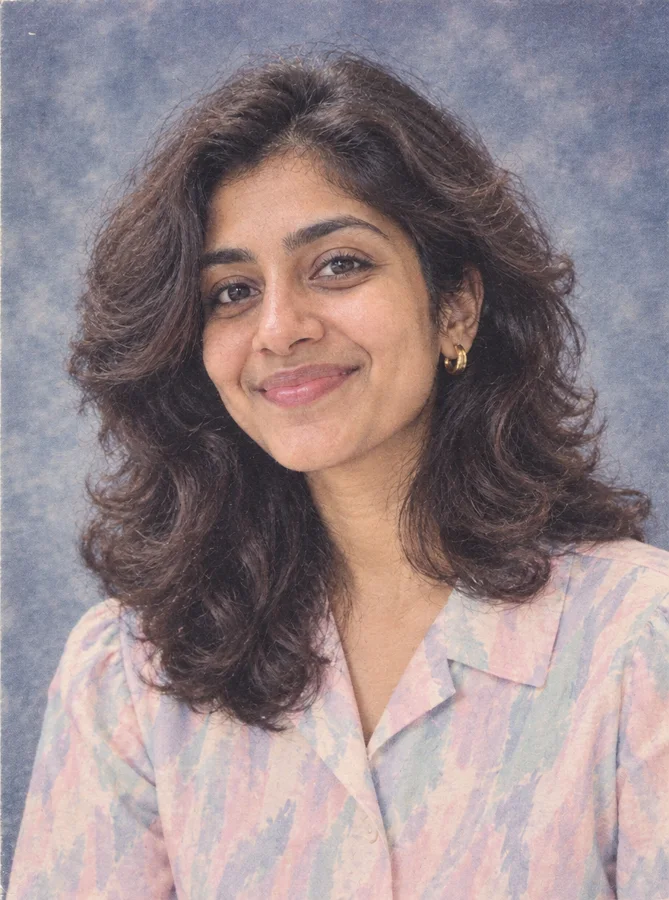
Turn this photo into a 1985 high school yearbook portrait. Keep her face, skin tone, eye shape and smile exactly as in the photo. Head and shoulders, feathered hair, a pastel collared blouse, a mottled blue-grey studio backdrop, flat flash lighting, washed-out colors and a slight printed-paper texture.
Try this prompt3. The 80s Bollywood film still
A big part of the trend: a frame from an 80s Hindi film, usually with a saree, wind and a mountain meadow.
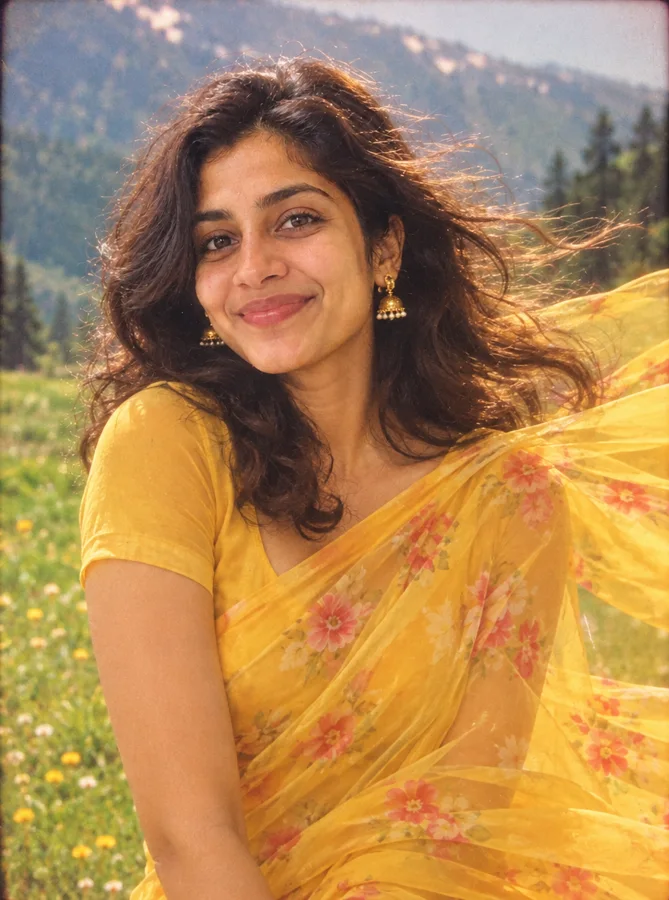
Turn this photo into a still from a 1980s Hindi film. Keep her face, skin tone, eye shape and smile exactly as in the photo. A chiffon saree blowing in the wind on a green mountain meadow, soft diffusion filter, warm saturated film colors, light film grain and a gentle vignette. It should look like a frame from a real 1980s movie print.
Try this prompt4. A night out in 1988
The words "not cyberpunk" are there on purpose: "80s, night, neon" easily drifts into a modern synthwave poster, a pitfall Kapwing's guide also steers around.
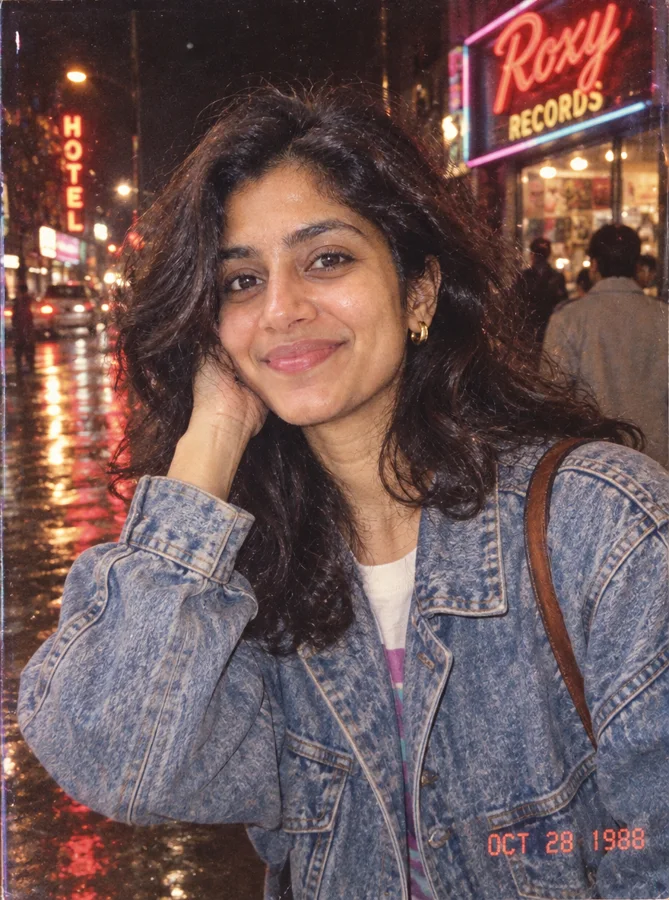
Turn this photo into a candid snapshot taken in 1988 on a city street at night. Keep her face, skin tone, eye shape and smile exactly as in the photo. Oversized denim jacket, big hair, neon shop signs reflecting on wet pavement, harsh on-camera flash, 35mm film grain. A real 1988 photo, not cyberpunk.
Try this prompt5. The home aerobics video
This one changes the pose completely, and the face still held up. GPT Image 2.6 also added a "JUL. 14 1983" camcorder date stamp on its own.
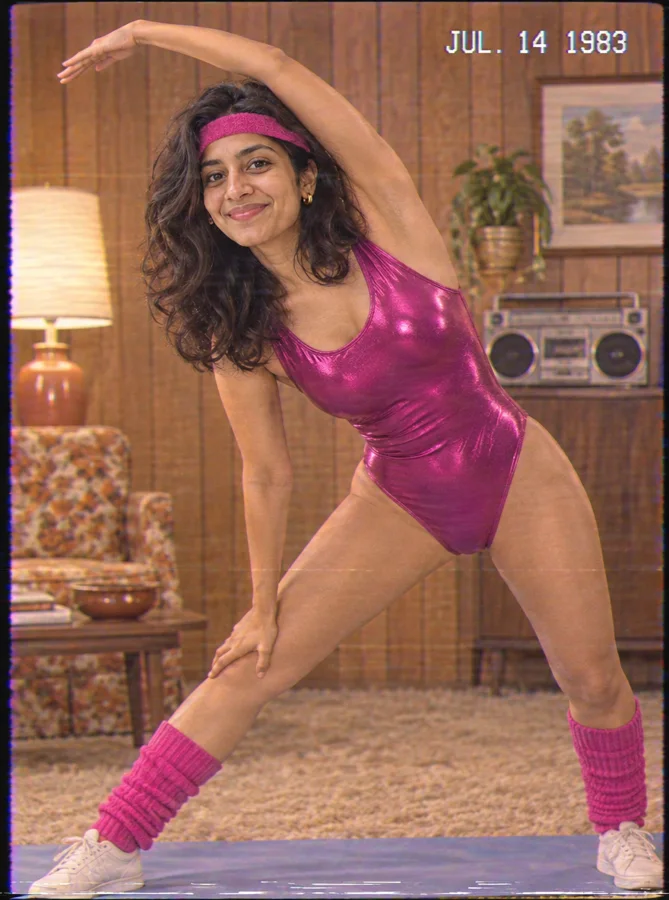
Turn this photo into a frame from a 1983 home aerobics video. Keep her face, skin tone, eye shape and smile exactly as in the photo. A shiny magenta leotard, leg warmers and a sweatband, mid-stretch in a living room with a wood-paneled wall, VHS look with soft scan lines and color bleed.
Try this prompt6. The 1984 family snapshot
The family version is the other half of the trend. Four faces are harder than one, and all four stayed recognisable, down to the girl's missing tooth.
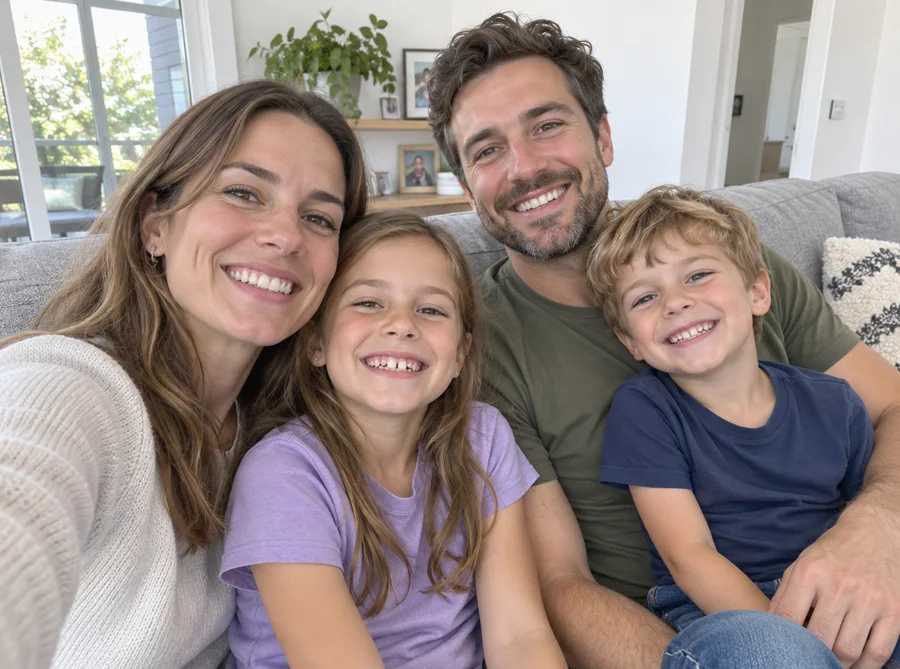
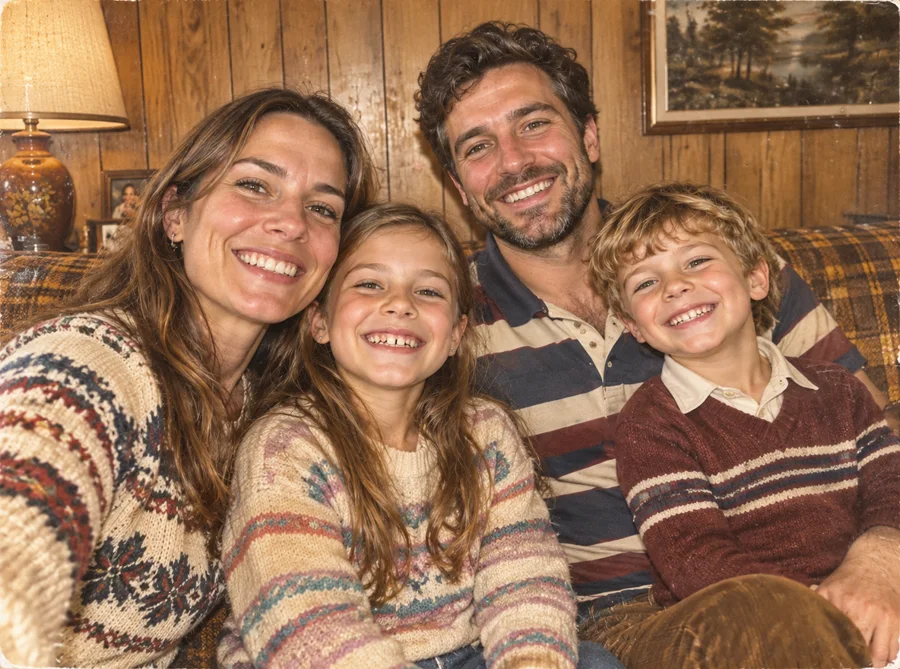
Turn this photo into a 1984 family snapshot. Keep all four people recognisable: same faces, ages and expressions. A wood-paneled living room with a brown plaid sofa, 80s clothes (knit sweaters, a striped polo shirt, corduroys), harsh on-camera flash, warm yellowish colors and the faded, slightly soft look of a print kept in a photo album.
Try this promptLook closely and you'll see what gives this one away: it's still framed like a selfie, with everyone squeezed in at arm's length. Nobody took selfies in 1984. If you want the most convincing result, start from a photo someone else took.
7. Christmas 1986, instant photo
Seasonal, and the white instant-print border does a lot of the work.
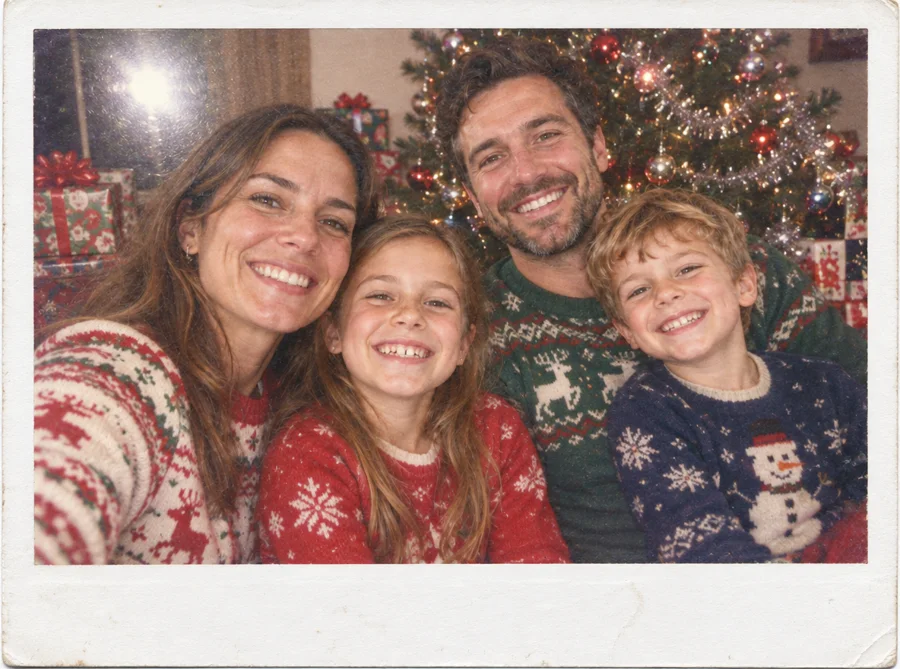
Turn this photo into an instant photo from Christmas 1986. Keep all four people recognisable: same faces, ages and expressions. Holiday sweaters, a tinsel-covered Christmas tree and wrapped presents behind them, flash glare, faded instant-film colors and the white border of an instant print.
Try this prompt8. The department-store family portrait
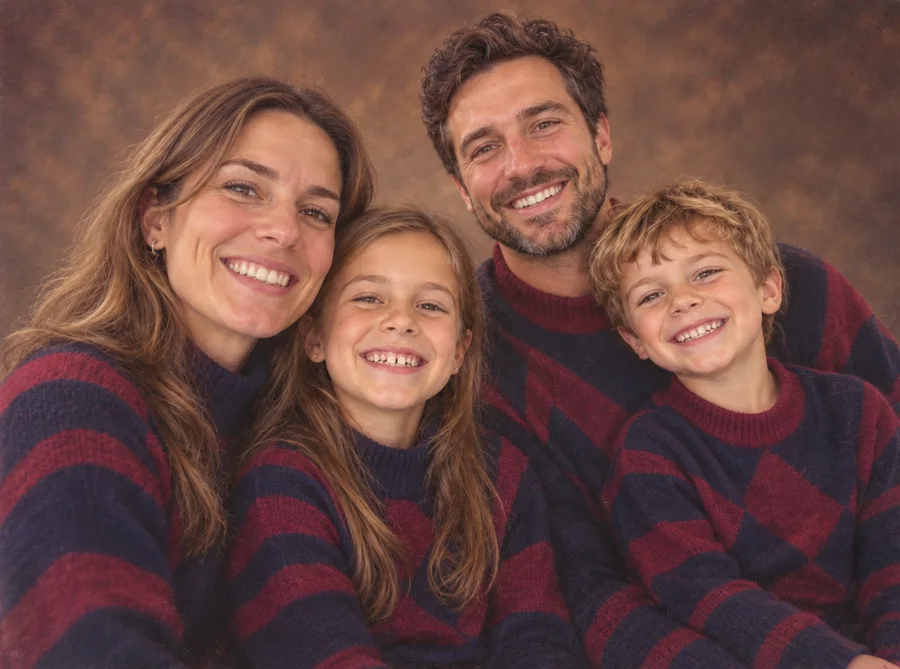
Turn this photo into a 1980s department-store family portrait. Keep all four people recognisable: same faces, ages and expressions. Matching outfits in navy and burgundy, posed close together, a mottled brown studio backdrop, soft studio lighting, slightly hazy focus and the colors of a 1980s portrait print.
Try this promptWhy these prompts look like the 80s
Every prompt above follows the same pattern, and you can use it to write your own:
- Name a year and a kind of photo. "A 1987 mall portrait" or "an instant photo from Christmas 1986" carries far more information than "80s style". The model knows what those pictures looked like.
- Describe the camera, not just the clothes. Harsh on-camera flash, film grain, faded print colors, VHS color bleed. This is what separates an old photo from a modern photo of someone in 80s clothes.
- Say what you don't want. "No modern objects" and "not cyberpunk" stop phones, LED lights and synthwave neon from creeping in.
- Protect the face in words. "Keep her face, skin tone, eye shape and smile exactly as in the photo" sits in every prompt. For a man, write "his"; for a group, list how many people there are, as in the family prompts.
- Start from a clear, front-facing photo. The edit keeps the composition, so a blurry or tilted photo stays blurry or tilted, just with shoulder pads.
Before you upload someone else's photo
Only use photos of people who are happy for you to do this, and think twice about uploading pictures of children. If you save a reference of someone in ChatGPT, ask them first.
FAQ
Can I do the 80s photo trend for free? ChatGPT's free plan can edit photos, with a daily limit that OpenAI doesn't publish. On Image26 new accounts get free credits to try the generator; a photo edit costs 13 credits at the default setting.
How do I keep my face the same? Use a sharp, front-facing photo and keep the "keep her face, skin tone, eye shape and smile exactly as in the photo" line. If the first result drifts, generate again rather than piling corrections onto it.
What is the best 80s prompt for a family photo? For a natural look, the 1984 snapshot above. For something posed and frameable, the department-store portrait. Mention how many people are in the photo so nobody gets dropped or added.
Why does my 80s photo look too clean? Ask for the flaws of old film: flash glare, grain, faded colors, soft focus and the paper texture of a print. Without them, the model gives you a sharp modern photo in retro clothes.
Can it make a 90s version instead? Yes. Change the year and the photo type, for example "a 1996 disposable-camera photo", and keep the rest of the structure.
Ready to try it? Open Image26, attach your photo and start with the 1987 mall portrait prompt. More ideas from GPT Image 2.6: Can ChatGPT Make GIFs? shows how to animate a photo, and Can ChatGPT Make SVG Files? covers logos.