Can ChatGPT Make GIFs? Yes, Now It Can. Here Is How
ChatGPT can make animated GIFs since Images 2.6 (GPT Image 2.6). How to make one from text or a photo, prompts that loop well, the limits, and a no-ChatGPT option.
For a long time the honest answer was "not really". ChatGPT could draw single frames or write code that stitched them together, and a lot of articles still describe those workarounds. That changed on November 4, 2026: with ChatGPT Images 2.6, OpenAI added native GIF creation, so you can ask for an animated, looping GIF and get one back (The Decoder).
The short version: describe one simple motion, or upload a photo and say what should move, and ask for a GIF. The model behind it is GPT Image 2.6. You can use it inside ChatGPT, or on Image26, where a GIF is just another output format next to a normal image.
Every GIF in this post was made with GPT Image 2.6, and the prompts are included so you can reproduce them.
What changed: GIFs are built in now
Until Images 2.6, "making a GIF with ChatGPT" meant one of three detours: generating several stills and assembling them yourself, asking ChatGPT to write Python that animates frames, or using a plugin. Each worked, none was a GIF from one request.
GPT Image 2.6 renders the animation itself. It draws a short sequence of frames of the same scene and returns them as a looping GIF. According to the launch coverage, you can start from a text prompt or an uploaded photo, then adjust the animation speed or edit individual frames (The Decoder). OpenAI's own example prompt was simply "Can you make a gif of a cat dancing?"
Here is what the frames of the neon sign above look like, laid out one after another:
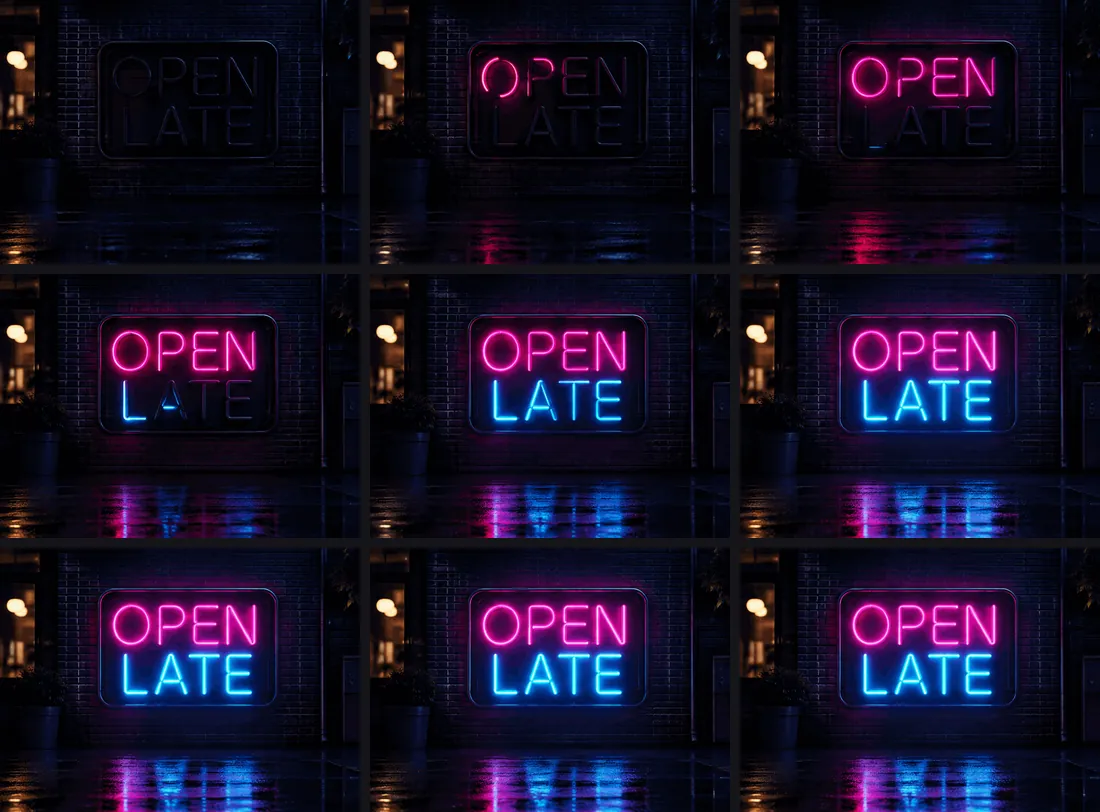
Nine frames, 200 milliseconds each, a 1.8-second loop. The letters switch on one by one and the wet pavement picks up the reflection as they do. Getting legible text to stay put across frames is the hard part, and this is where GPT Image 2.6 does well.
How to make a GIF in ChatGPT
- Open ChatGPT on the web, desktop or mobile app. OpenAI says the feature is rolling out to all ChatGPT and Codex users, so it may reach your account a little later than others (The Decoder).
- Ask for a GIF in plain words, for example: Make a looping GIF of steam rising from a latte on a café table. Keep the camera still. To animate your own picture, attach the photo and say what should move.
- If the motion is too fast or too slow, ask for a change, or adjust the speed in the editor. You can also fix a single frame instead of starting over.
- Download the GIF and check the loop before you post it (more on that below).
OpenAI hasn't published how many GIFs each plan includes, so expect them to count against your normal image limits.
How to make a GIF on Image26
If you'd rather not go through a chat, the same model is available as a plain generator:
- Open Image26 and make sure GPT Image 2.6 is selected (it is by default).
- Open the settings next to the model and set Output to GIF. Pick an aspect ratio if you need one, for example 1:1 for a sticker or 16:9 for a banner.
- Write your prompt and press Generate. The price is shown on the button before you click.
Each GIF is 9 frames at 200 ms. It costs the same as a still image at the same quality and resolution, 10 credits at the default settings. In our test a 1K GIF came back in 18 seconds.
One detail worth knowing: all frames share the image's pixel budget, so a GIF comes out smaller than a still at the same setting. At 1K our GIFs were 336 pixels square; at 2K they were 672. If the GIF will be shown large, generate it at 2K.
Prompts that make good loops
A GIF from GPT Image 2.6 is one short, repeating movement, not a video clip. Prompts that respect that work best:
- One motion. Steam rising, a sign flickering, a mascot waving, rain on a window. Two or three things moving at once tends to turn into mush.
- A still camera. Say "static camera" or "the camera doesn't move". Camera moves eat the frames you need for the motion itself.
- Say how the loop closes. "The paw returns to the starting position" or "the letters then glow steadily" helps the last frame lead back into the first.
- Keep text short and in quotes. "OPEN LATE" stays readable across frames; a full sentence usually won't.
These three prompts made the GIFs in this post:
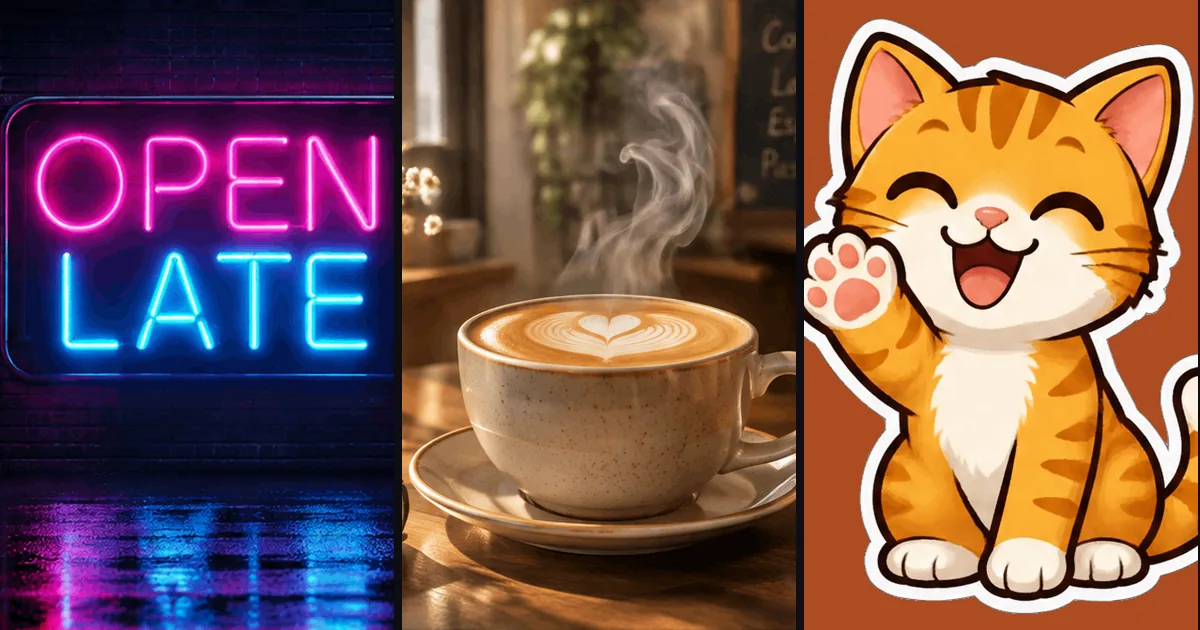
Cozy looping animation: a ceramic latte cup with heart latte art on a wooden café table, soft steam curling up and drifting, warm morning window light, gentle and calm. Static camera, only the steam moves.
Try this prompt
A cute orange tabby kitten sticker character waving its paw hello, big happy eyes, thick white sticker outline, flat cartoon style on a plain white background. Looping wave, static camera.
Try this promptThe neon sign at the top:
Looping animation of a pink and blue neon sign that reads "OPEN LATE" on a dark brick wall at night, the letters flicker on one by one and then glow steadily, soft reflections on wet pavement below. Static camera.
Try this promptNotice the kitten: we asked for a plain white background and got a rust-brown one. The motion and the character were right, but details like background color are less reliable in GIF mode than in a still. If the color matters, say it twice or generate a few and pick one.
What GIFs can't do (yet)
- One movement, a few seconds. It is a loop, not a scene. For longer shots, camera moves or sound, you need an AI video generator.
- Loops aren't always seamless. In an independent hands-on test, both the API and ChatGPT returned GIFs with uneven motion steps and a visible jump where the loop restarts, plus a small mark nobody asked for (Kingy AI). Watch the loop a few times before you use it.
- Edits stay still. You can animate a photo in ChatGPT, but on the API side an edit returns a still image, and a GIF can't be used as the reference for another edit. On Image26, attaching a reference photo also gives you a still.
- Small files, small pictures. Because frames split the pixel budget, a GIF is never as sharp as a still from the same setting.
FAQ
Can free ChatGPT make GIFs? OpenAI says GIF creation is rolling out to all ChatGPT users on web, desktop and mobile. It hasn't said how many GIFs the free plan allows, so expect a tighter cap than on paid plans.
Can ChatGPT make a GIF from a photo? Yes. Upload the photo and describe what should move. Faces and small details can drift between frames, so check the result closely.
How long can a GIF be? Short. The default is 9 frames at 200 ms, about 1.8 seconds, and every extra frame makes each frame smaller. Think of it as a loop that plays over and over, not a clip.
Is GPT Image 2.6 the only model that makes GIFs? Among OpenAI's image models, yes: GIF output arrived with 2.6. GPT Image 2.5 still makes stills only.
Do GIFs cost more than images? On Image26 a GIF costs exactly the same as a still at the same quality and resolution. New accounts get free credits, enough to try one.
Want to try it without a chat? Open Image26, set Output to GIF and describe one simple motion. Pick any GIF in the gallery to load its exact prompt.