
ChatGPT Character Sheet Prompt for Consistent Characters
Copy-ready ChatGPT character sheet prompts: front, side and back turnarounds, expression sheets and sticker poses from one image, tested with GPT Image 2.6.
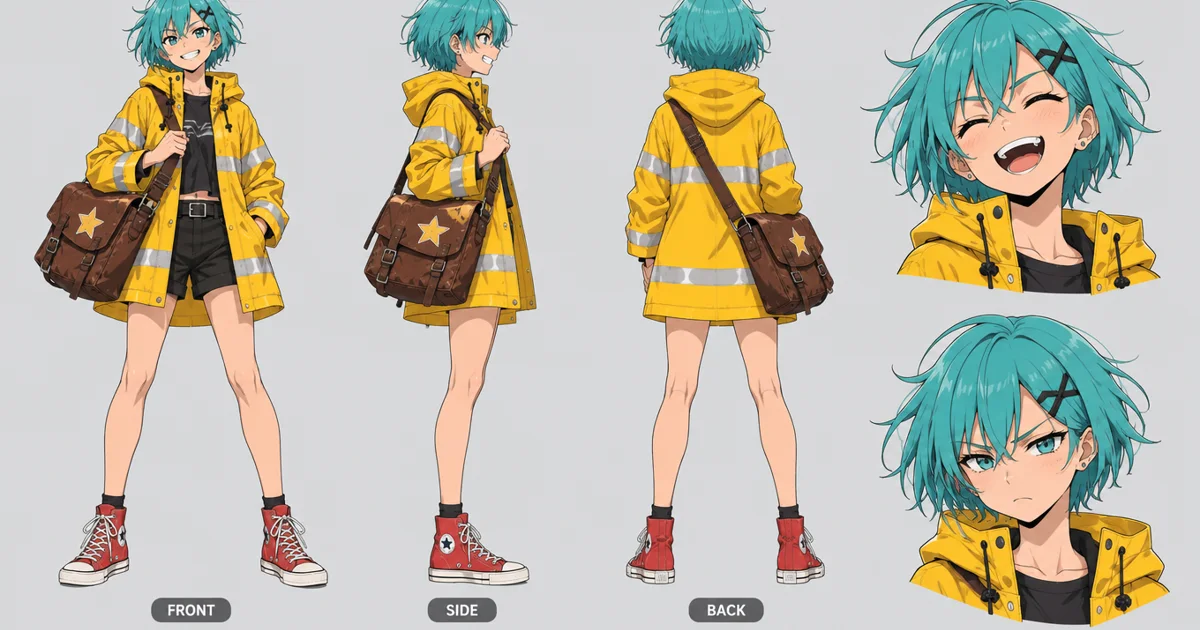
The oldest complaint about AI art is that a character never looks the same twice. You get one great picture, ask for the back view, and a different person turns around. A character sheet fixes that: one image with the same character from the front, side and back, plus expressions or poses, that you can use as the reference for everything after.
GPT Image 2.6, the model behind ChatGPT Images 2.6, can make one from a single picture. OpenAI says its higher-quality 2.6 model brings "greater consistency across edits" (Fello AI); we used the faster default model for everything below, and it held up well.
We created three original characters (an anime courier, a realistic fisherman and a 3D mascot) and ran six character sheet prompts on them. All six are below, with the results, unedited.
What you need
One clear image of the character, full body if you want full-body views. It can be a drawing, a 3D render or a photo. These were our three starting images, each made from a text prompt:
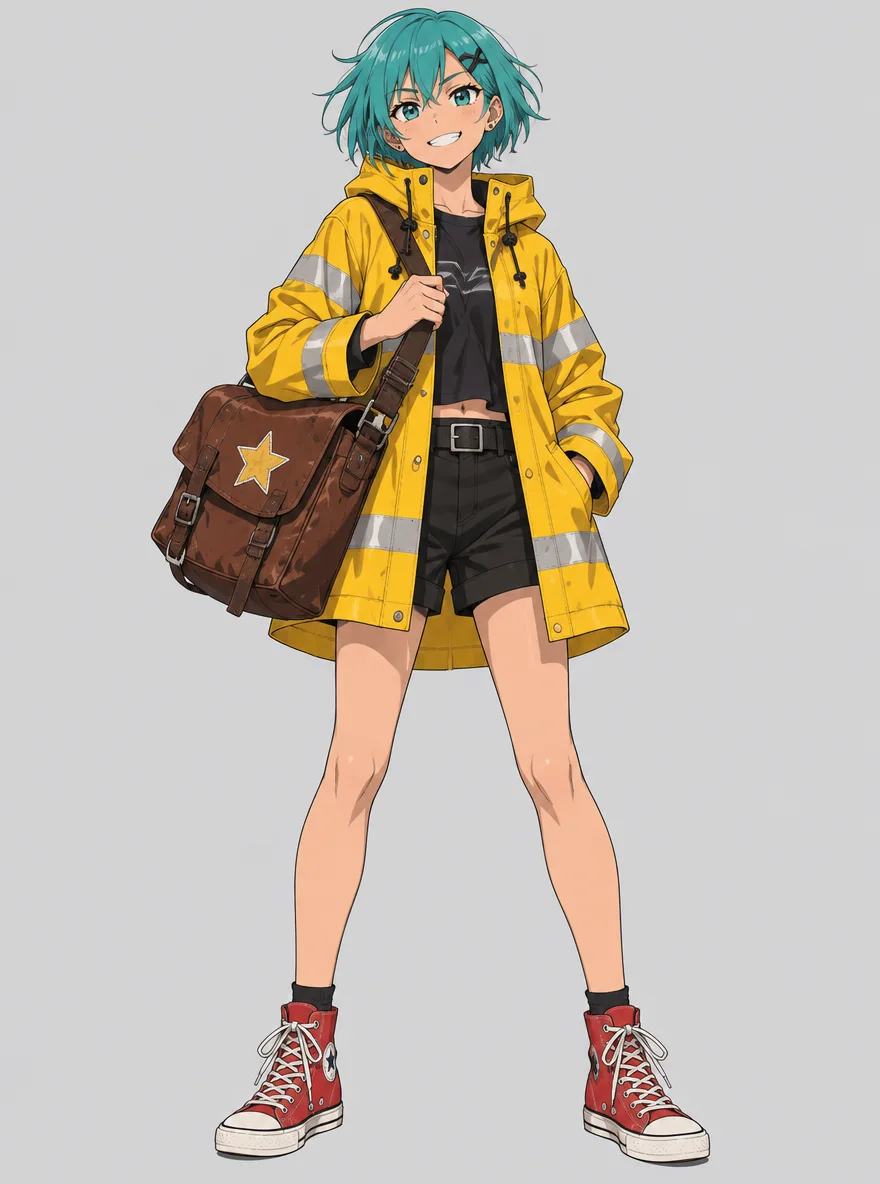
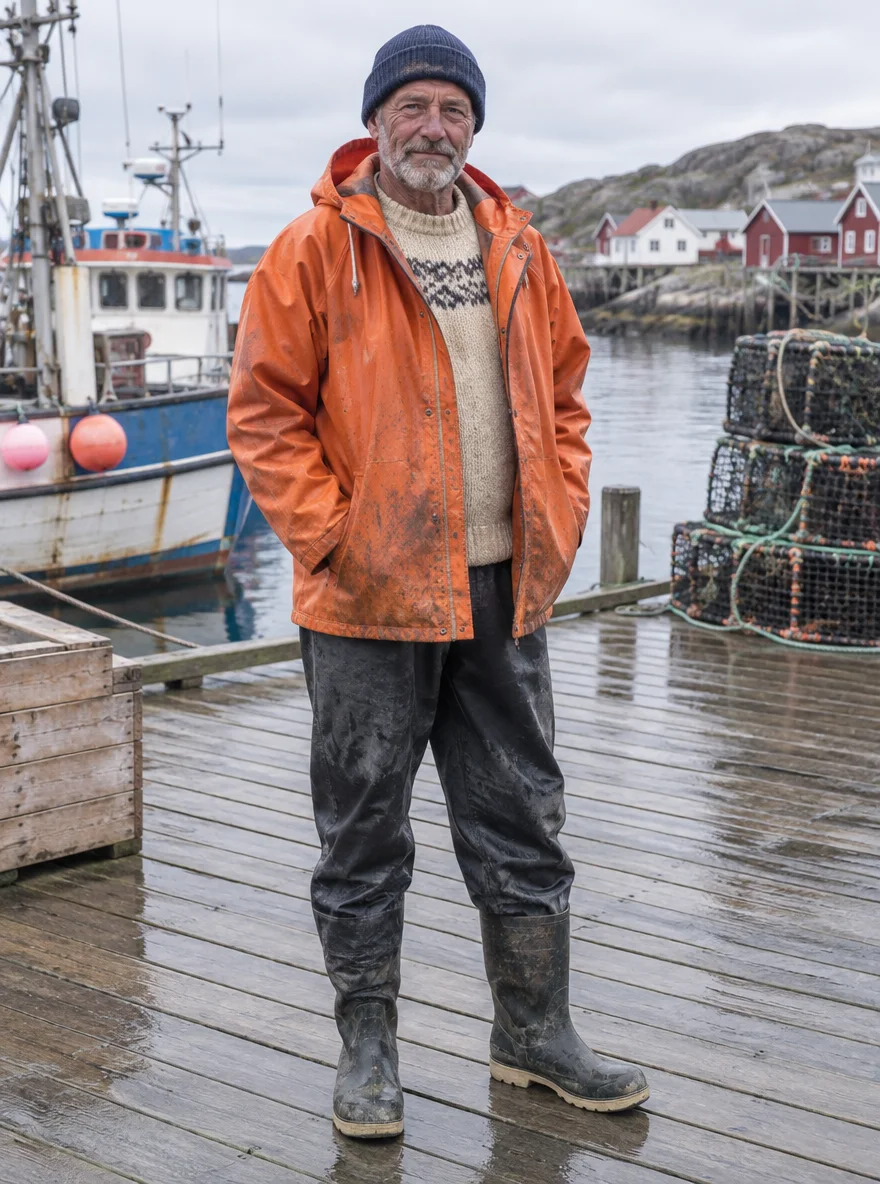
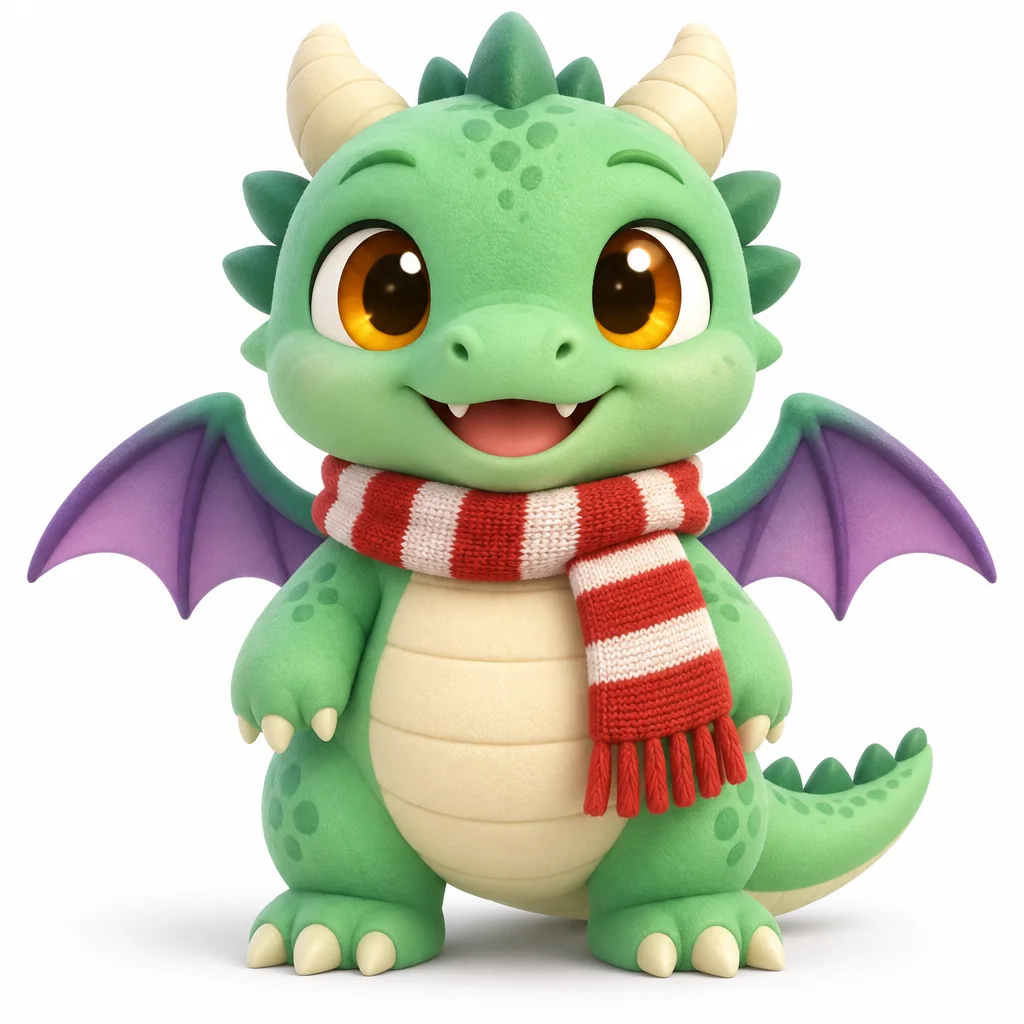
In ChatGPT, upload the image and paste a prompt. Images 2.6 also lets you save a character as a reference and reuse it in later chats without uploading it again (Fello AI).
On Image26, attach the image with the image button, paste the prompt and press Generate. A character sheet is a normal edit: 13 credits at the default setting. Ours took between 15 seconds and two minutes.
1. The turnaround sheet (front, side, back)
This is the classic character sheet and the one to make first. Asking for the views "in a row at the same height and scale" matters: without it, views tend to come out at different sizes.
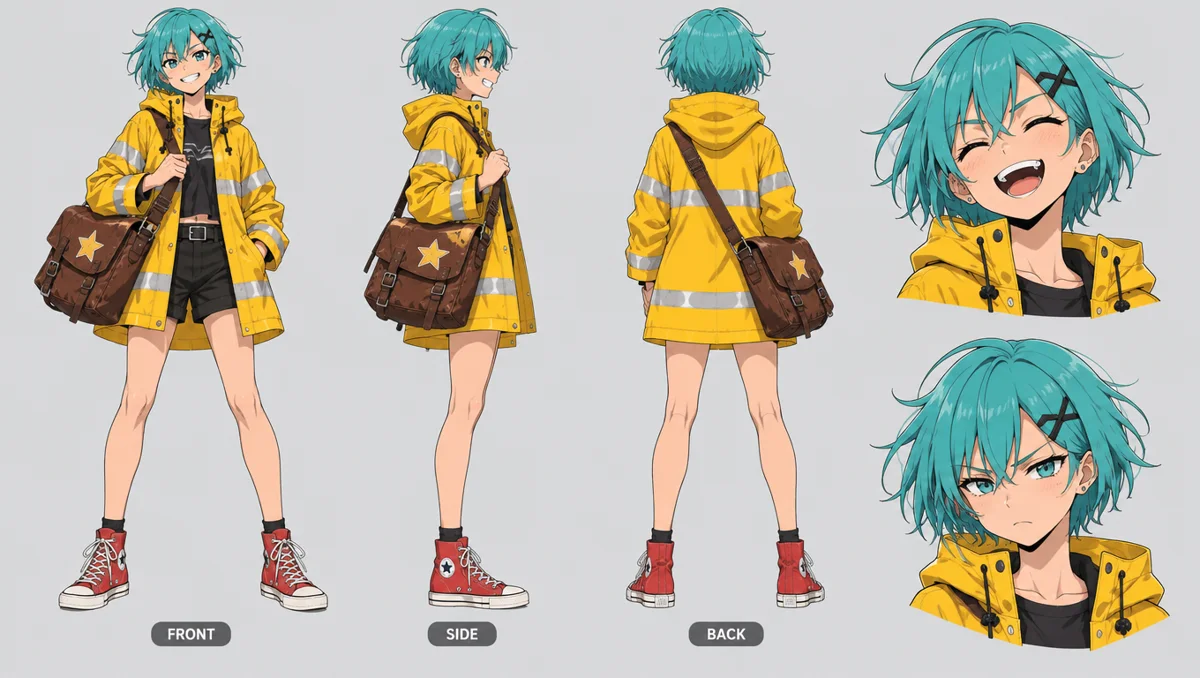
Create a character turnaround sheet of this exact character: full-body front view, side view facing right, and back view, standing in a row at the same height and scale. On the right, two head close-ups with different expressions (laughing, annoyed). Keep the hairstyle, raincoat, reflective stripes, messenger bag with the star patch, shoes and colors exactly the same in every view. Clean anime cel-shaded style, plain light grey background, small labels: FRONT, SIDE, BACK.
Try this promptCheck the details and it holds up: the bag hangs on the same side in the front and back views, the star patch is there in all three, and the small X-shaped hair clip, which the prompt never mentions, shows up in every head. Replace the list of items in "Keep the ... exactly the same" with your own character's features. Naming them is what makes the model check them.
2. The expression sheet
Expression sheets are what comic artists and VTubers use most. Six emotions in a grid is a good size; with more panels each face gets small.
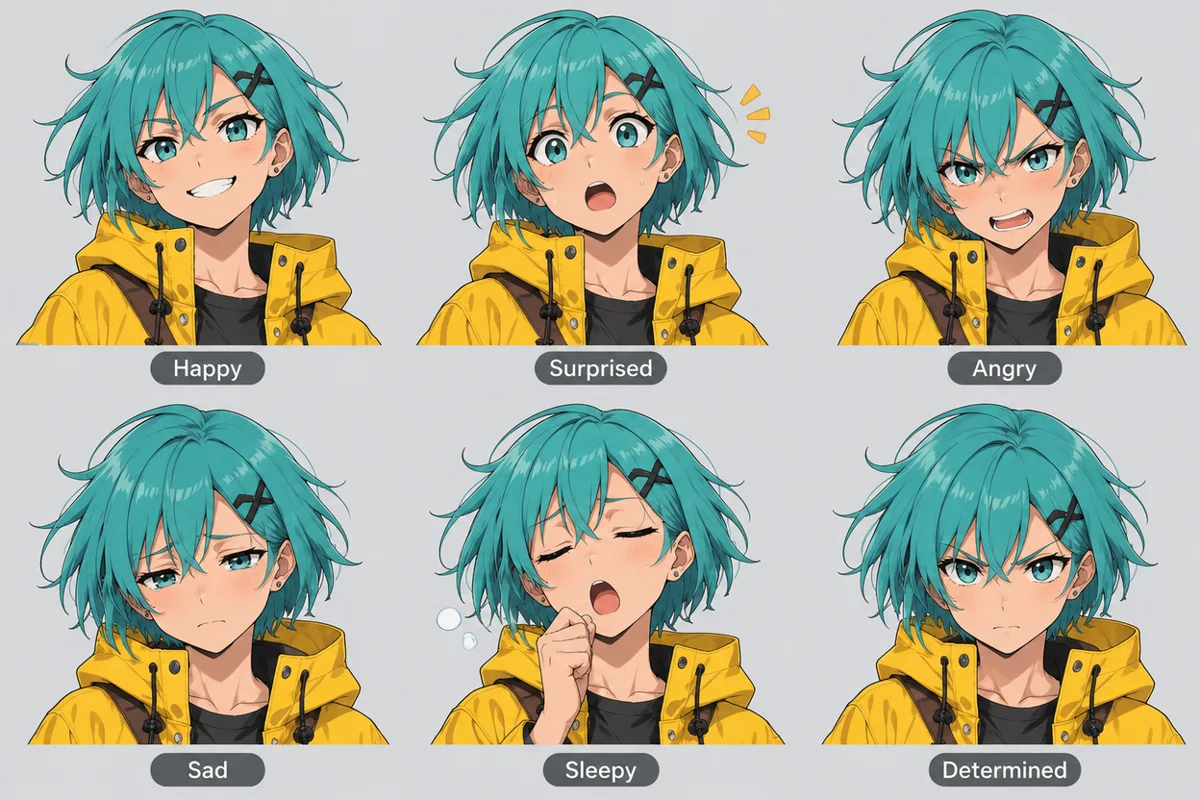
Create an expression sheet of this exact character: six head-and-shoulder portraits in a 3x2 grid showing happy, surprised, angry, sad, sleepy and determined. Same teal hair, same face, same yellow raincoat collar in every panel. Clean anime cel-shaded style, plain light grey background, each expression labeled underneath.
Try this prompt3. The consistency test: put the character in a new scene
A character sheet is only useful if the character survives a new scene. So we took the original image and asked for something completely different: night, rain, motion, a new angle.
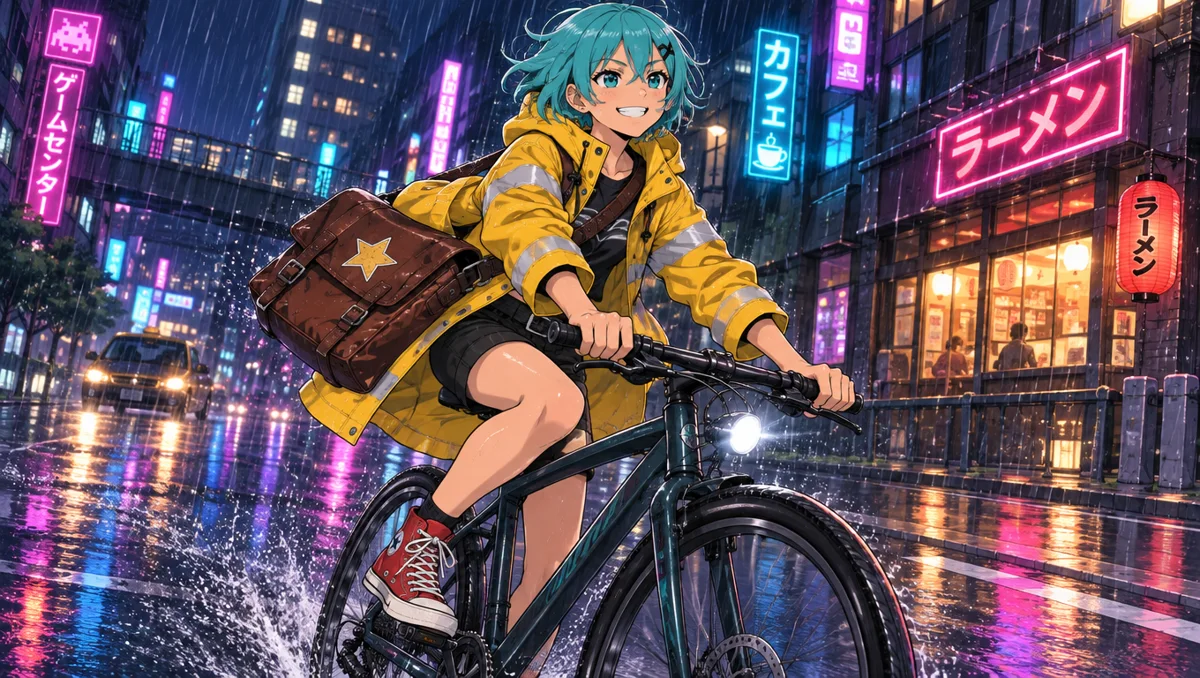
Show this exact character riding a bicycle through a rainy city street at night, neon shop signs reflecting on the wet road, her messenger bag bouncing at her side, dynamic three-quarter view. Keep her face, teal hair, yellow raincoat with reflective stripes, bag with the star patch and red sneakers exactly the same. Same anime cel-shaded style.
Try this promptSame hair, coat, stripes, star patch and red high-tops. For a comic or a storyboard, generate each panel this way from the original image (or from the turnaround sheet) rather than from the previous panel, so small changes don't pile up.
4. A realistic character reference sheet
The same prompt pattern works for photos. This is useful for a recurring person in a story, an AI influencer or a costume reference.
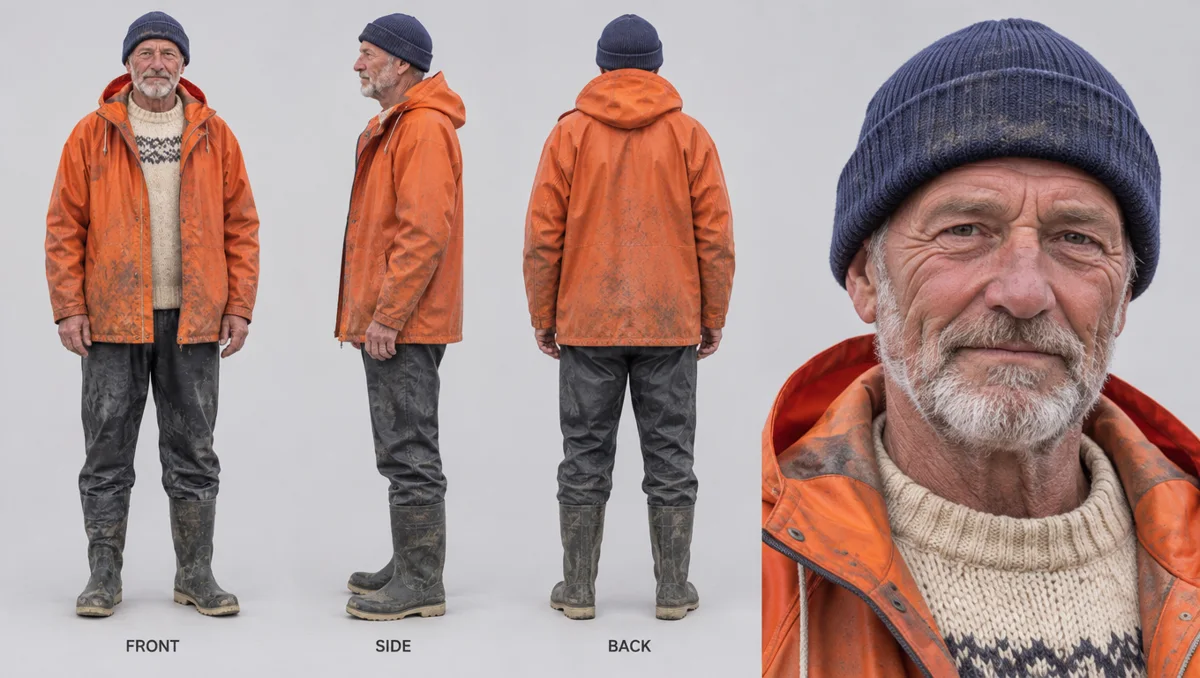
Create a character reference sheet of this exact man as realistic photos: full-body front view, side view and back view in a row, plus a close-up of his face on the right. Same face, beard, navy beanie, orange waterproof jacket, cream sweater, trousers and rubber boots in every view. Plain light grey studio background, even lighting, small labels: FRONT, SIDE, BACK.
Try this promptEven the mud on the jacket and boots matches across views. Only use real people's photos with their permission; the man here doesn't exist.
5. A 3D model turnaround
If you plan to build the character in Blender or hand it to a 3D artist, ask for orthographic views "as a modeler would use".
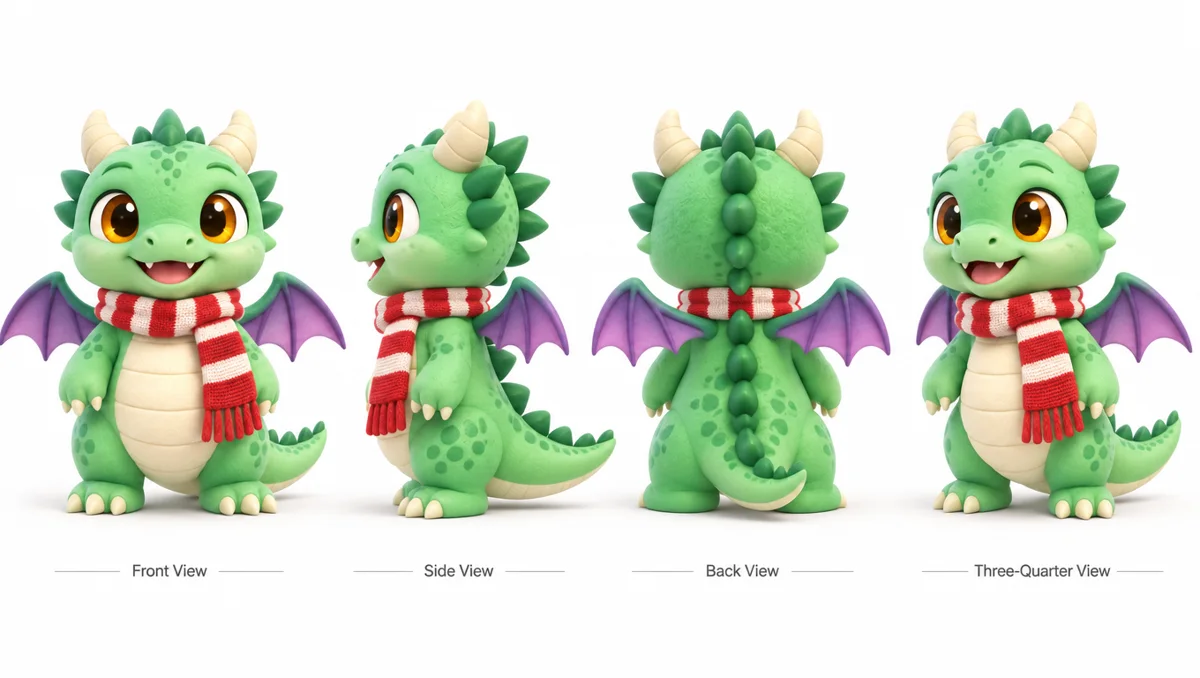
Create a 3D model reference sheet of this exact mascot: orthographic front, side, back and three-quarter views in a row at the same scale, as a modeler would use. Keep the body shape, mint-green color, purple wings, horns, cream belly, amber eyes and striped scarf identical in every view. Soft studio render, plain white background, thin labels under each view.
Try this promptOne weak spot: the "three-quarter" view is barely turned and looks almost like the front. The back view, which you can't get from the original at all, is the most useful part: the spine ridge, the tail and how the scarf ties are all invented, and invented consistently.
6. A sticker sheet in six poses
Once a character is stable, poses are easy. This is the fastest way to a sticker pack or a set of emotes.
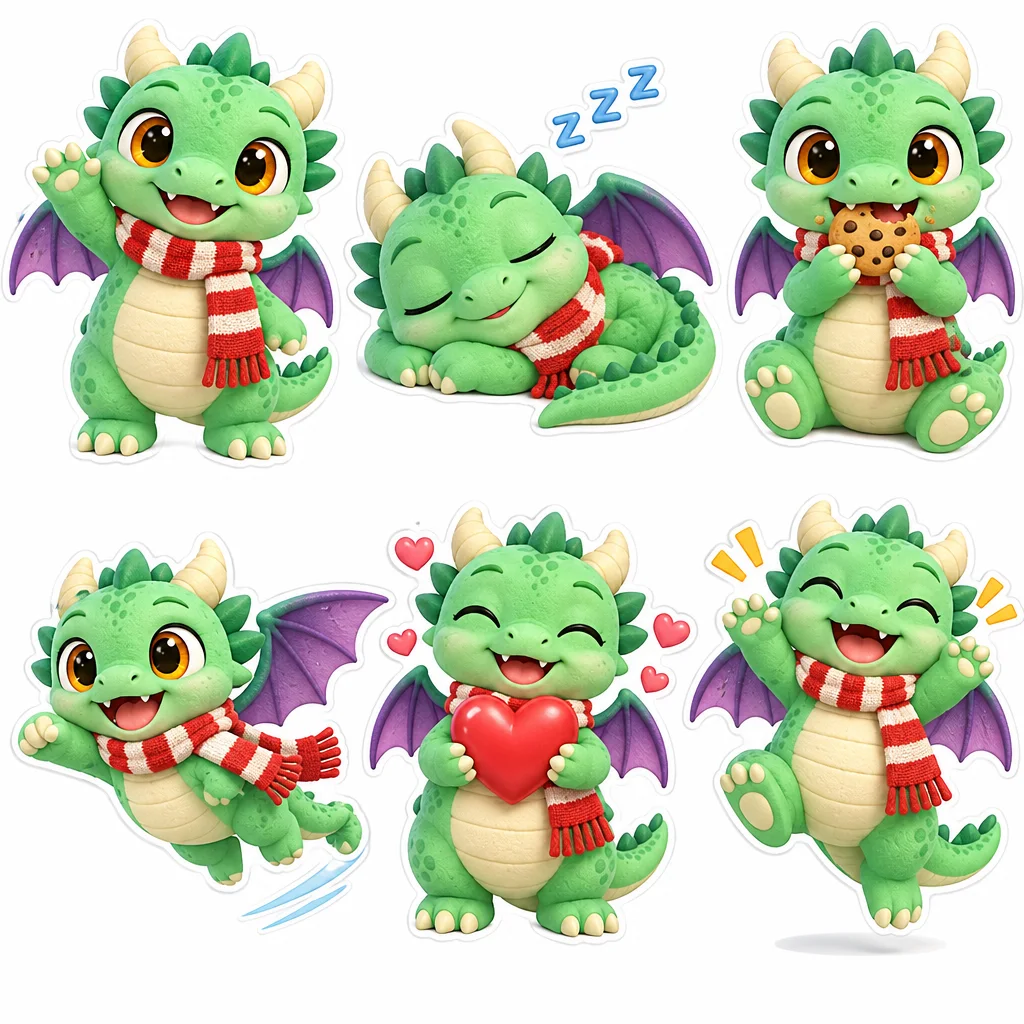
Create a sticker sheet of this exact mascot in six different poses in a 3x2 grid: waving, sleeping, eating a cookie, flying, holding a heart, and jumping with joy. Keep its body shape, colors, wings, horns and striped scarf identical in every pose. Soft 3D render, each sticker with a thin white outline, plain white background.
Try this promptHow to write your own character sheet prompt
Every prompt above has the same four parts:
- "Of this exact character". Tells the model this is an edit of a specific character, not a new one in the same style.
- The layout. Which views or panels, in what grid, "at the same height and scale". Labels like FRONT, SIDE, BACK help the model keep the views apart.
- The keep-list. Name the features that must not change: hair, clothes, accessories, colors, distinctive marks. Three to seven items is plenty.
- The style and background. Repeat the original style and use a plain background, so nothing distracts from the character.
If one view goes wrong, don't fix it with a long follow-up. Regenerate from the original image, or circle the broken part and edit just that.
FAQ
How do I make a consistent character in ChatGPT? Make a character sheet first, then generate every new scene from the original image (or the sheet) with a list of features to keep. In ChatGPT Images 2.6 you can also save the character as a reference.
Can it make a character sheet from a text description only? Yes, but you get a new character each time you ask. Generate one image you like first, then make the sheet from it.
Is the turnaround accurate enough for 3D modeling? As a reference, yes. Proportions are close but not measured, so a modeler will still adjust. Ask for orthographic views at the same scale.
Does it work for real people? It works on photos, as the fisherman shows. Only use photos of people who have agreed to it.
How much does a character sheet cost? On Image26 it is a normal photo edit: 13 credits at the default setting.
Want to try it? Open Image26, attach your character and start with the turnaround prompt. For a retro twist on real photos, see the ChatGPT 80s photo trend prompts.