
AI Product Photography Prompts: One Photo, Four Seasons
AI product photography prompts that keep your label intact: one packshot turned into spring, summer, autumn and winter scenes, a lifestyle shot and a banner ad with GPT Image 2.6.
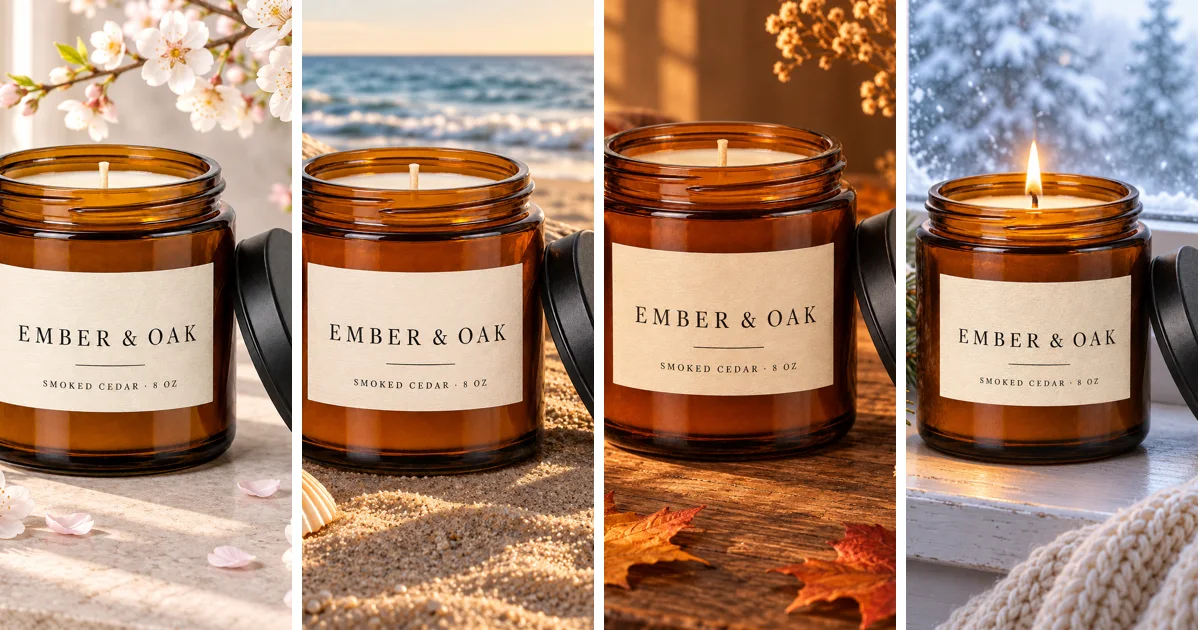
A new season means new product photos: new props, a new set, another shoot. For a small shop that's the expensive part of selling online. AI product photography replaces the shoot with one good photo of the product and a prompt for each scene.
The catch has always been the product itself. Image models tend to redraw the bottle, bend the logo or turn the small print into gibberish. GPT Image 2.6 keeps it intact, small print included, which is what makes it usable for real listings.
We took one plain packshot of a candle and made six images from it: four seasonal scenes, a lifestyle shot and a banner ad with a headline. Every prompt is below.
Start with one clean product photo
Everything depends on the starting image. A plain background, the whole product in view, the label sharp and readable. A phone photo against a white wall works if the light is even. This is ours (the brand is invented):
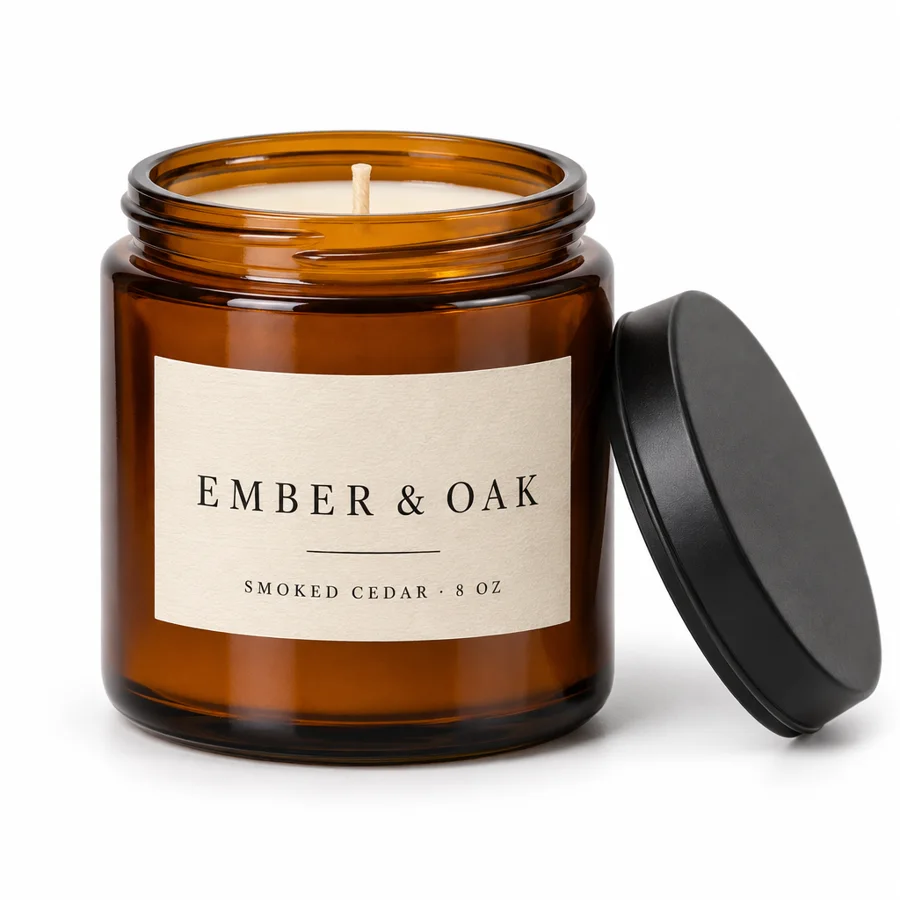
On Image26, attach the photo with the image button, paste a prompt and press Generate. Each scene is a photo edit, 13 credits at the default setting; ours took between 18 seconds and two and a half minutes.
The one line every prompt needs
Every prompt in this post ends with the same sentence:
Keep the candle jar, lid, label layout and all label text exactly the same as in the photo; the candle is the clear main subject.
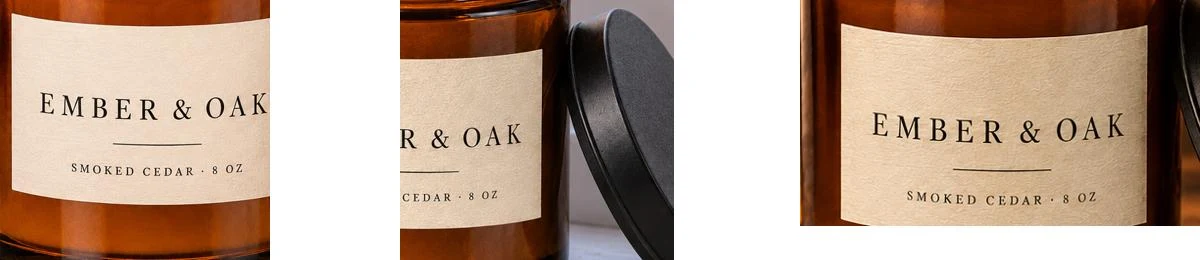
Swap "candle jar, lid" for your product's parts. Naming the label text is the important bit: it tells the model the words are part of the product, not decoration it can redraw. Here is the label from three of the results, zoomed in; "SMOKED CEDAR · 8 OZ" is a few pixels tall in the original and survived every time:
Four seasons from one photo
Spring
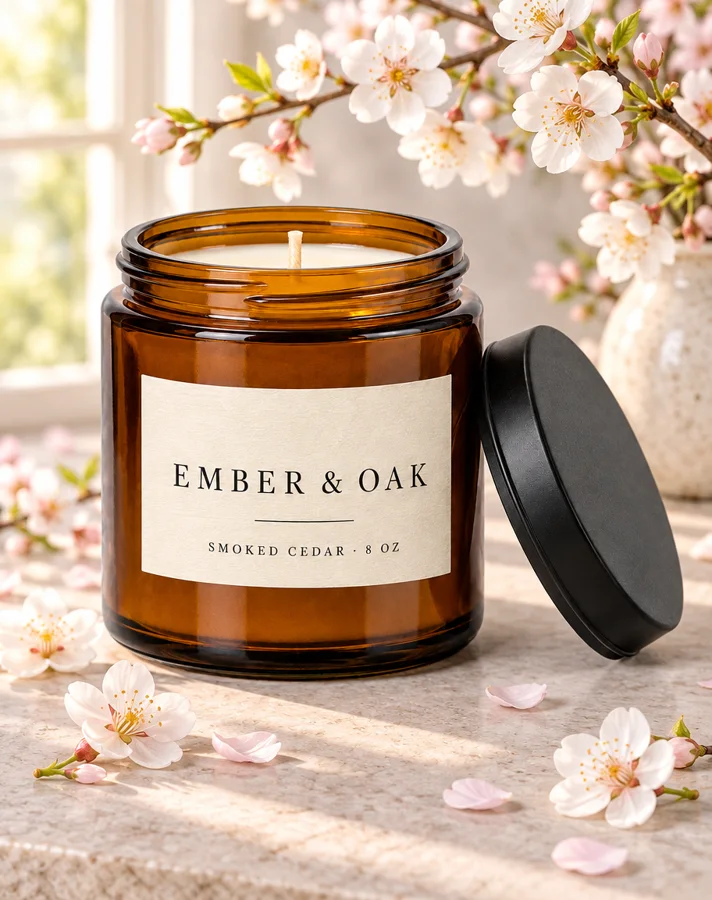
Place this product in a spring scene: a pale stone surface with branches of white cherry blossom and a few fallen petals, soft morning light from a window, fresh pastel tones. Keep the candle jar, lid, label layout and all label text exactly the same as in the photo; the candle is the clear main subject.
Try this promptSummer
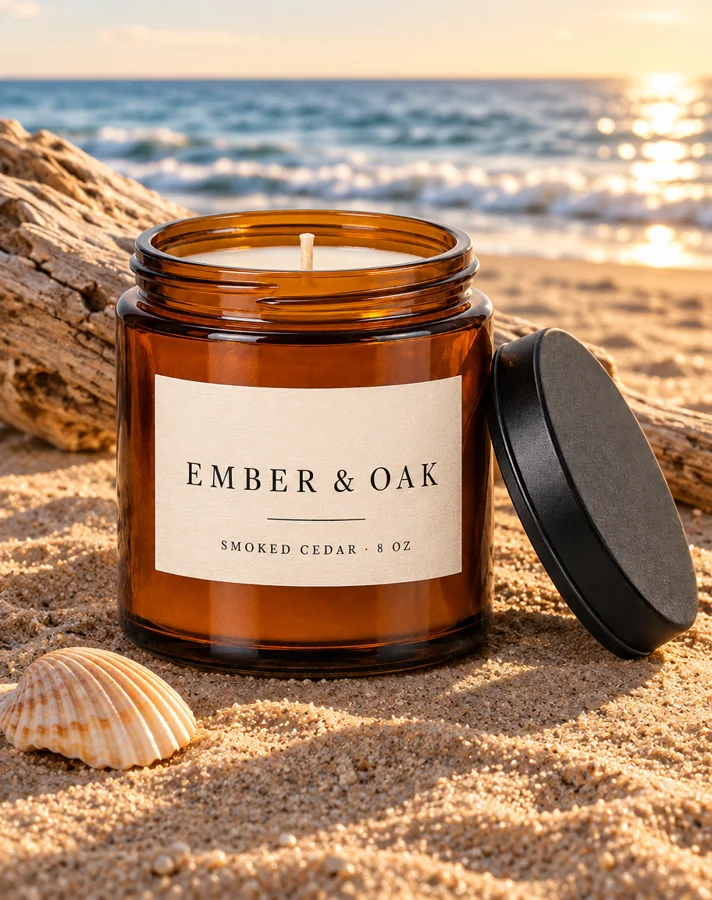
Place this product in a summer scene: on warm sand at the beach with a piece of driftwood and a seashell, bright late-afternoon sun with crisp shadows, the sea softly out of focus behind. Keep the candle jar, lid, label layout and all label text exactly the same as in the photo; the candle is the clear main subject.
Try this promptAutumn
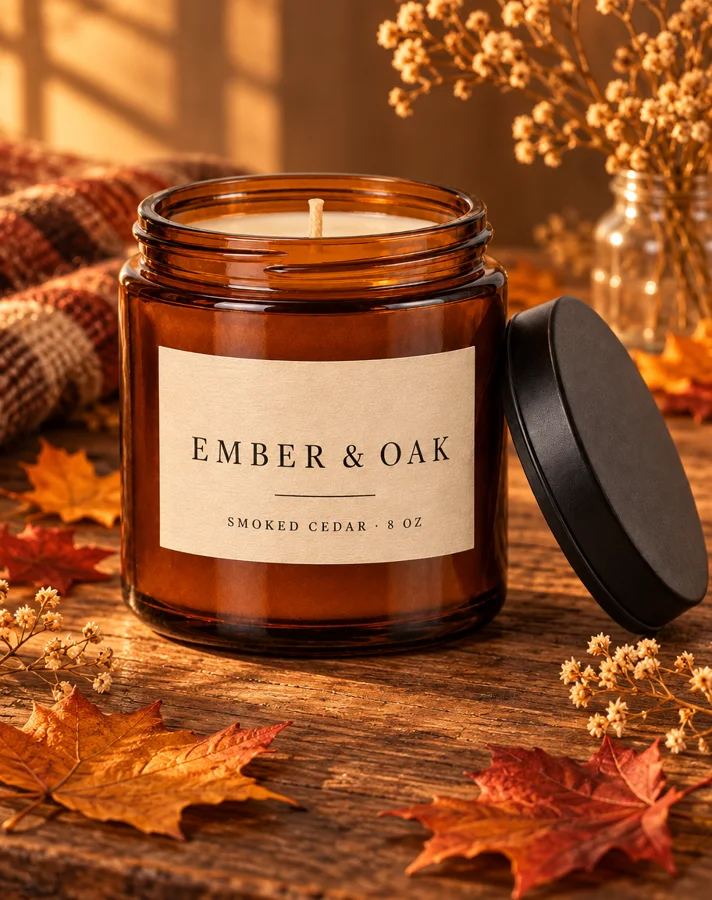
Place this product in an autumn scene: a rustic oak table with scattered maple leaves and a few dried flowers, warm low side light, cozy amber tones. Keep the candle jar, lid, label layout and all label text exactly the same as in the photo; the candle is the clear main subject.
Try this promptWinter
Here we also asked for the candle to be lit. The model added the flame and the warm glow in the glass, but changed nothing on the label.
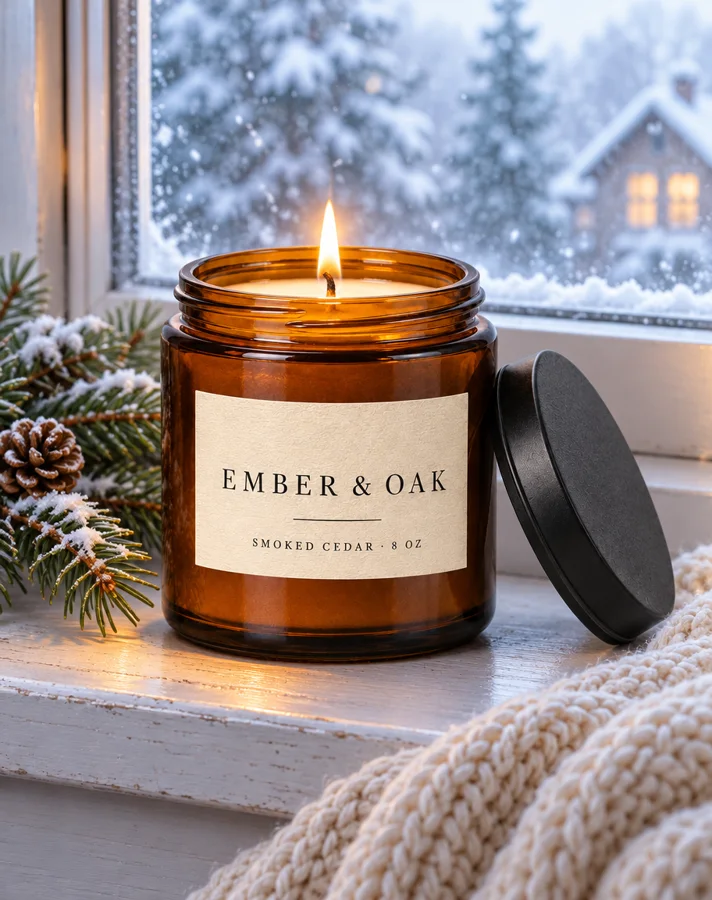
Place this product in a winter scene: on a windowsill with soft snow outside, a sprig of pine and a knitted wool throw beside it, the candle lit with a gentle flame, cool blue daylight mixed with warm candlelight. Keep the candle jar, lid, label layout and all label text exactly the same as in the photo; the candle is the clear main subject.
Try this promptA lifestyle shot with hands
Lifestyle photos sell the feeling, not just the object. "Only her hands are visible" keeps it about the product and avoids generating a face you'd have to check.
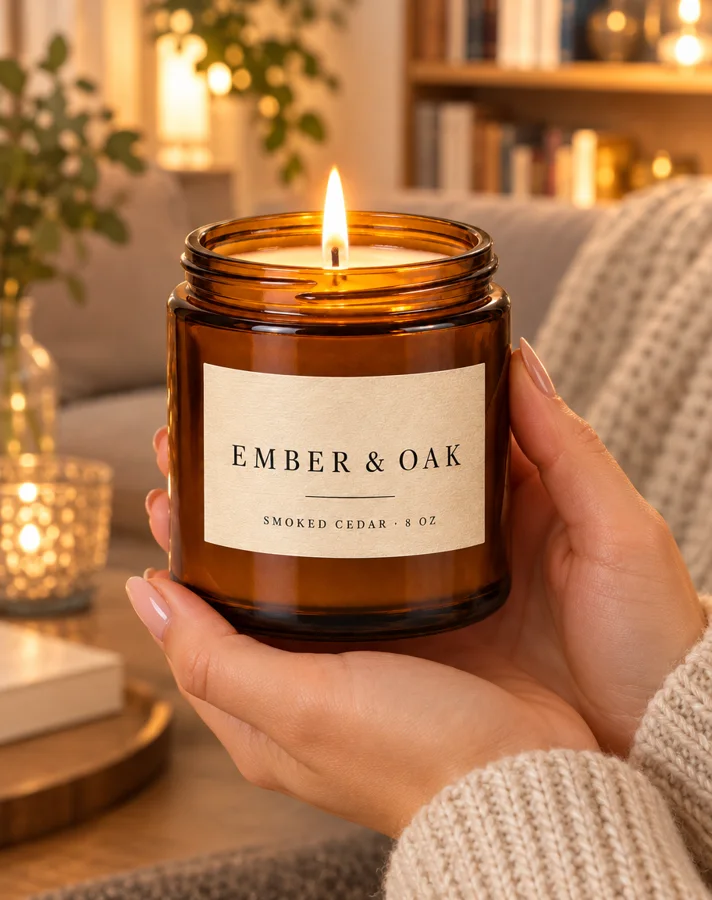
Lifestyle photo: a woman's hands holding this candle, lit, in a cozy living room with a soft blurred background of a sofa and bookshelf, warm evening light. Only her hands are visible. Keep the candle jar, lid, label layout and all label text exactly the same as in the photo; the candle is the clear main subject.
Try this promptA banner ad, headline included
GPT Image 2.6 renders text well, so the headline can be part of the image. Put the exact words in quotes and say where the empty space goes.
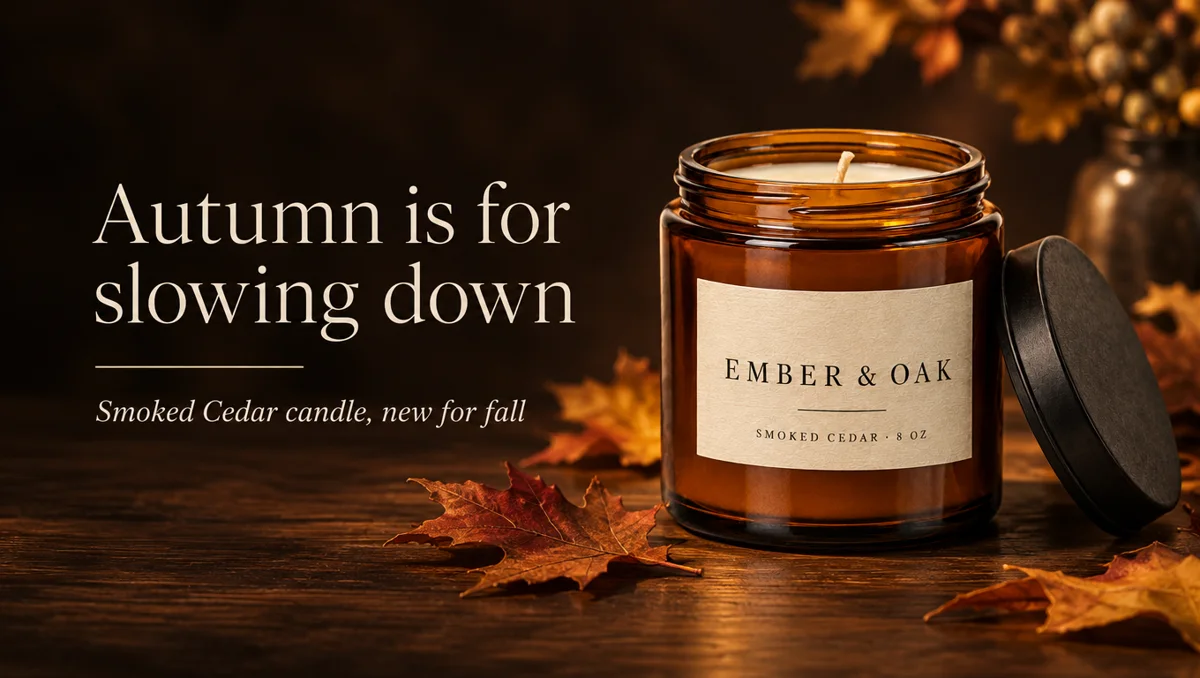
Create a website banner ad with this product: the candle on the right third on a dark walnut surface with autumn leaves, moody warm light, and empty dark space on the left with the headline "Autumn is for slowing down" in an elegant serif and a small line "Smoked Cedar candle, new for fall" below. Keep the candle jar, lid, label layout and all label text exactly the same as in the photo; the candle is the clear main subject.
Try this promptFor ads you'll edit later (prices, dates), generate the banner without text and add the words in your design tool instead.
Tips for AI product photos
- Describe the scene in three parts: the surface (stone, sand, oak), two or three props, and the light (soft morning, crisp afternoon, warm side light). That's enough; long prop lists crowd the product.
- Pick props that belong to the season and the product. Pine and wool for a winter candle make sense; for a sports drink they'd look odd.
- Use the aspect ratio of where the image goes. 4:5 for Instagram and most marketplace galleries, 1:1 for thumbnails, 16:9 for banners.
- Check the product against the original before you publish. Compare the label, the logo and the cap side by side. Ours held up in all six images, but a listing photo that misrepresents the product is a returns problem.
- Keep one real photo in your listing. Marketplaces and buyers expect at least one image of the actual product; AI scenes work best as the supporting set.
FAQ
Can AI keep my product label exactly the same? GPT Image 2.6 did in all six of our tests, including tiny print. Name the label text in the prompt and check each result.
Do I need a white-background photo? It helps but isn't required. Any photo where the product is sharp and fully visible works; busy backgrounds take more prompting to replace.
Can it make product photos from text only, without a photo? It can, but you'll get a product that looks like yours, not your product. For listings, always start from a photo.
Can I make an animated product ad? GPT Image 2.6 can make GIFs from a text prompt. On Image26, attaching a product photo gives you a still image, so animated ads from your own photo aren't supported yet.
How much does it cost? On Image26 each scene is a photo edit: 13 credits at the default setting.
Try it with your own product: open Image26, attach a clean photo and start with the autumn prompt. To change just one detail of a photo later, see how to edit only part of an image.